Science Fiction Writing Assistant
Status: Active (runs locally)Multi-agent world-building assistant that answers questions about a narrative using selected context documents and tiered OpenRouter models.
Why I Built It
I use the OpenAI API Playground and the free ChatGPT app when I'm brainstorming science-fiction world-building ideas. I noticed that the API Playground consistently underperformed compared to the free ChatGPT app. I was able to dramatically improve the Playground's performance by connecting a vector store with RAG, but the ChatGPT app maintained an edge. What I really needed was better context. That's what makes this tool shine.
Of all my recent projects, this tool is my favorite because of its simplicity and ease of use.
Technology
- Angular
- Python / FastAPI
- Agent orchestration
- LLM integration
- OpenRouter
How to Use It
- Add an OpenRouter API key to your
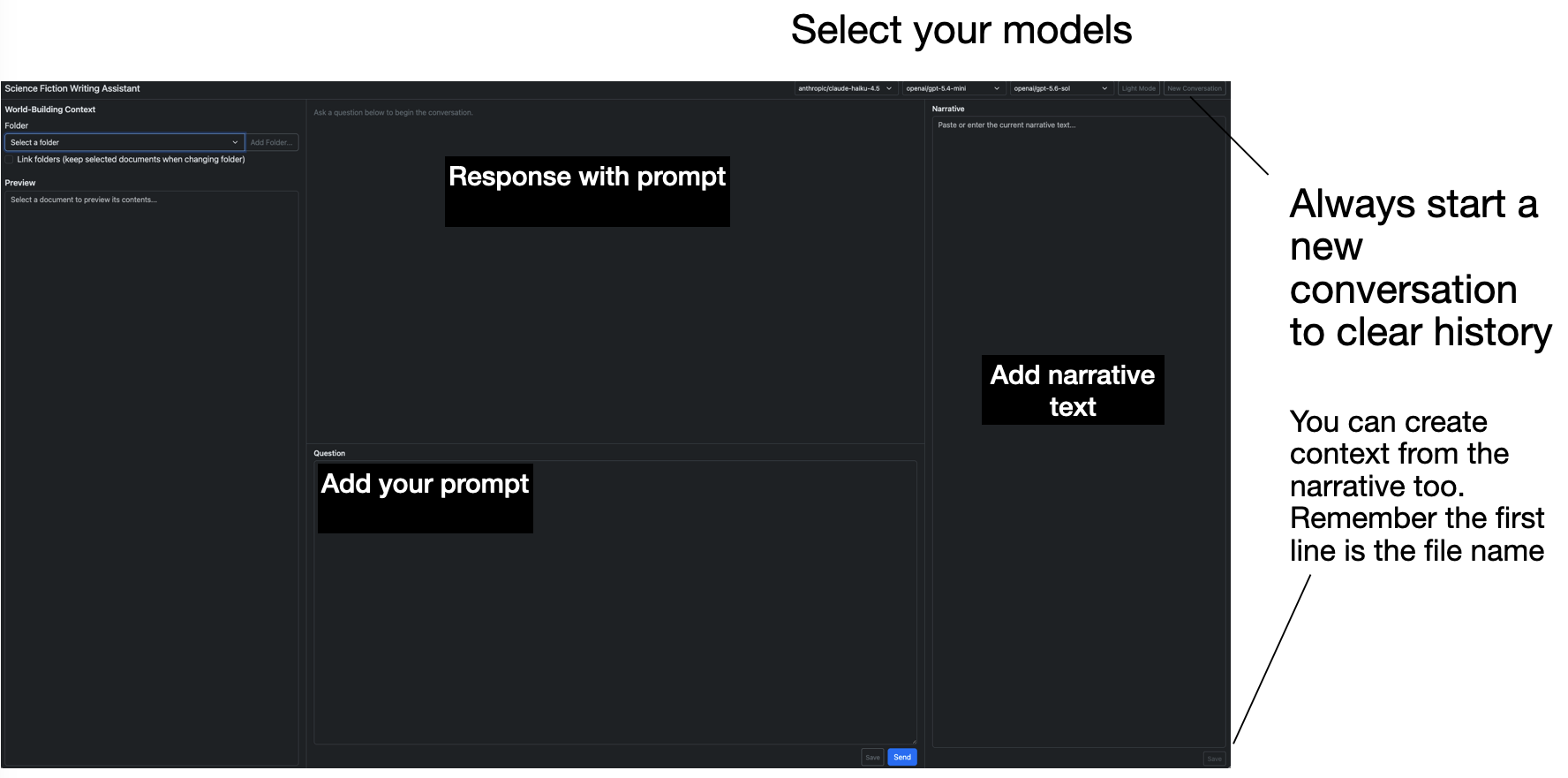
.envfile. - Paste a portion of your narrative into the right panel and ask your question in the bottom-center panel.
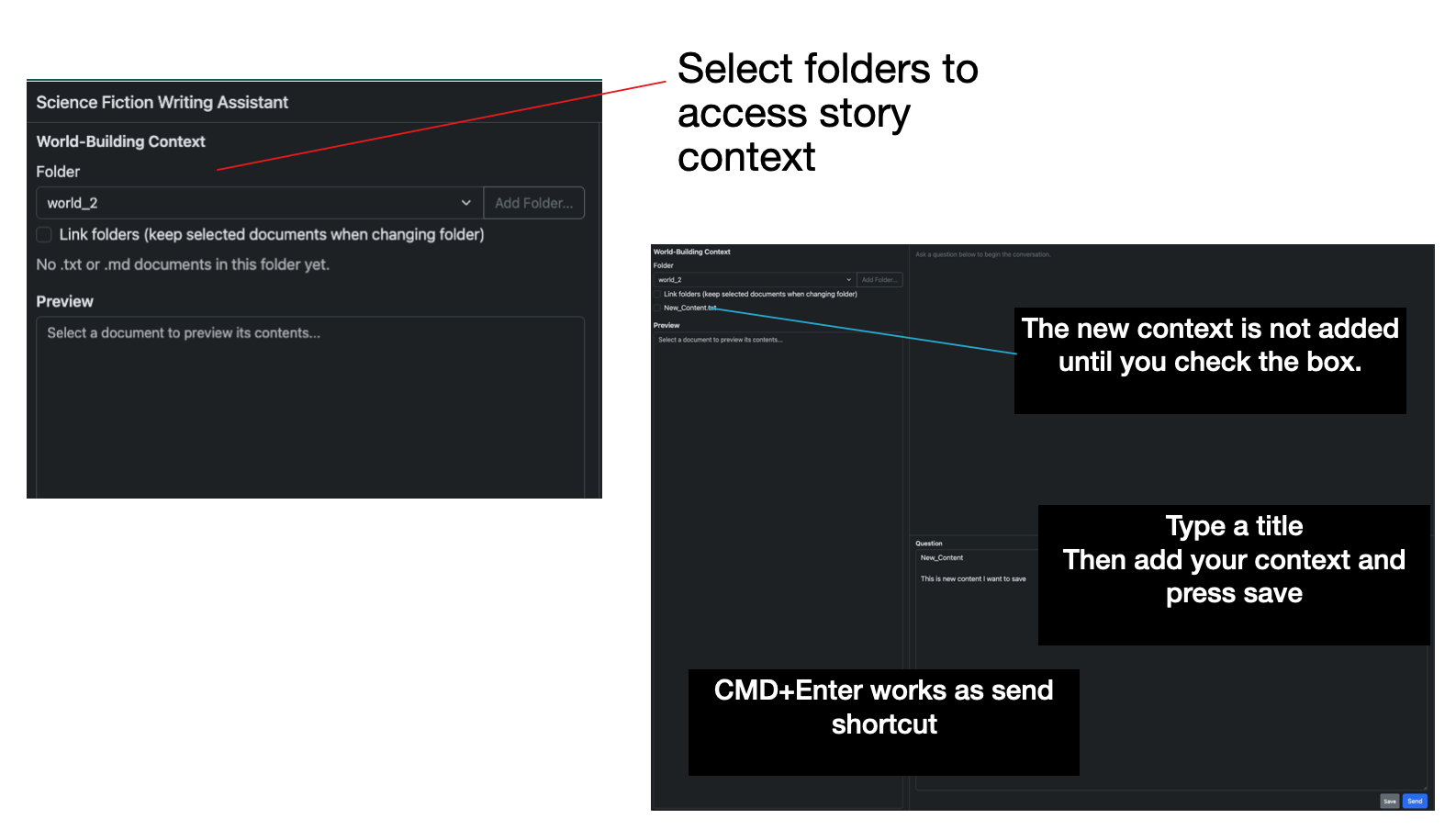
- Select a folder containing context documents in the left panel.
- To add new context:
- Put the file name on the first line and press Enter.
- Add your context and click Save in the bottom right of either the Question or Narrative window.
- The new context then appears in the world-building context list.
- New context is not selected automatically.
- Selecting a context displays it in the preview panel.
- To read an already-selected context, deselect it and select it again.
- Choose models from the three dropdowns at the top of the window.
- Left: the lowest-level agents (6 agents).
- Middle: their managers (2 agents).
- Right: the final agent that delivers the output.
- Note: because the agents work in a loop, responses are not streamed.
- My favorite workflow: flesh out a science idea, refine it, then create a document and add it to the world-building context.
Screenshots
Technical Details
- More model types can be added in the code, and the provider can be changed.
- RAG/vector store was omitted because this is targeted as a genre extension to a more comprehensive app.
Known Limitations
- Each request carries the full conversation in context, so a continuous session will eventually exceed the context window and crash.