Plot Tracker
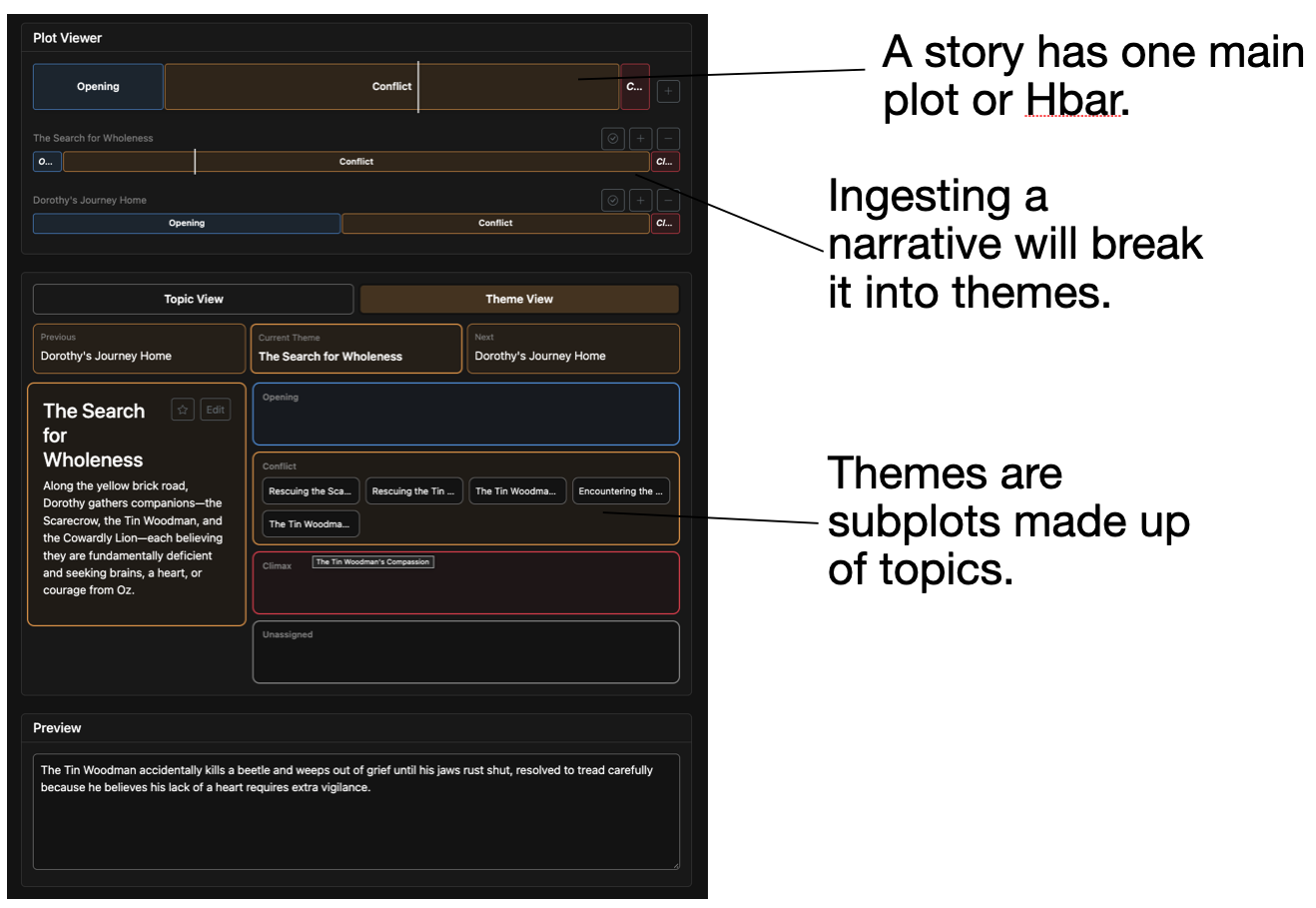
Status: Active (runs locally)Writing tool that breaks a narrative into themes and topics so subplots can be tracked, arranged, and closed across one or more documents.
Why I Built It
I wanted a writing tool that could keep track of subplots so there were no Chekhov's guns lying around, while also helping me remember and document subplots I had in mind while writing the story. It allows you to close subplots or extend them across a series (i.e., separate documents).
Technology
- React / Bootstrap
- Python / FastAPI
- Agent orchestration
- LLM integration
- OpenRouter
How to Use It
- Add an OpenRouter API key to your
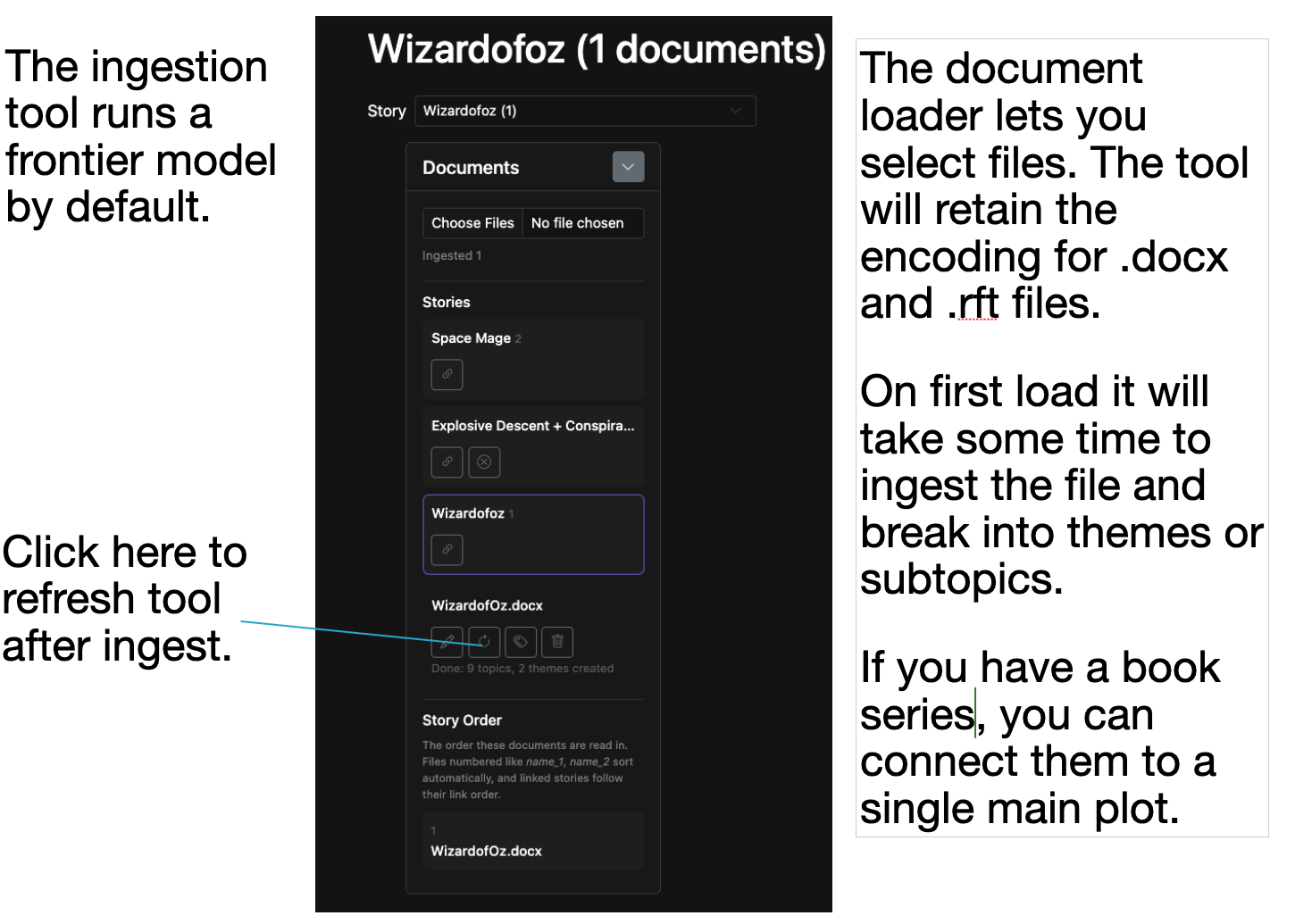
.envfile. - Upload your narrative as a
.txt,.rtf,.docx, or.pdffile.- It's unclear how well the encoding capture works with
.pdffiles.
- It's unclear how well the encoding capture works with
- Click the Reanalyze button to load the plot viewer.
- Pick a theme for your main plot. One of the themes will have most of the topics and will be the de facto main plot, but you decide which one it is.
- Drag and drop topics between themes or into the arbitrary three-act structure.
- Use the checkbox at the right margin of a subplot to close it as complete. The + and − buttons were implemented before drag-and-drop and don't work as expected.
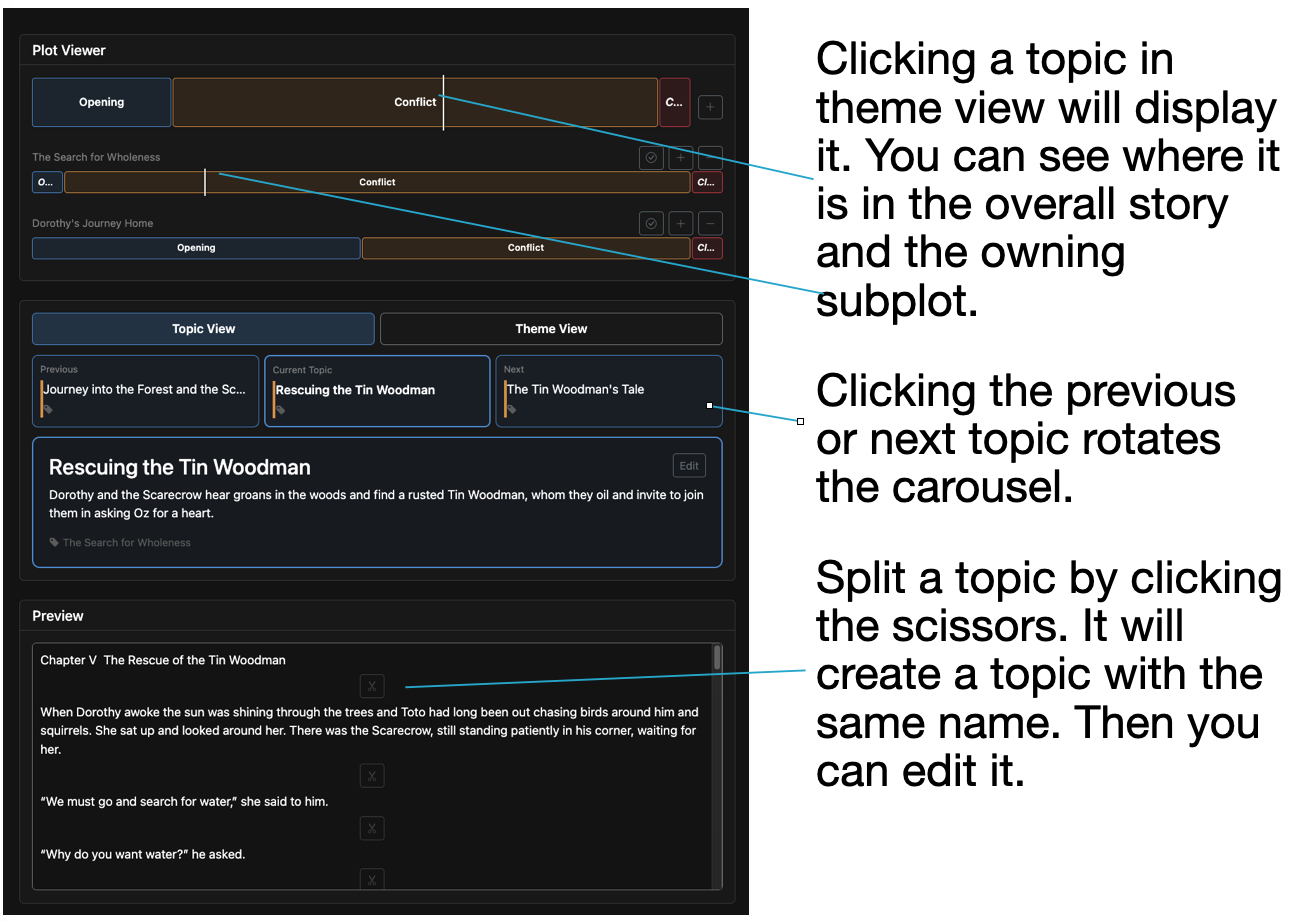
- Hover over a topic to display its preview; click it to navigate to the topic view.
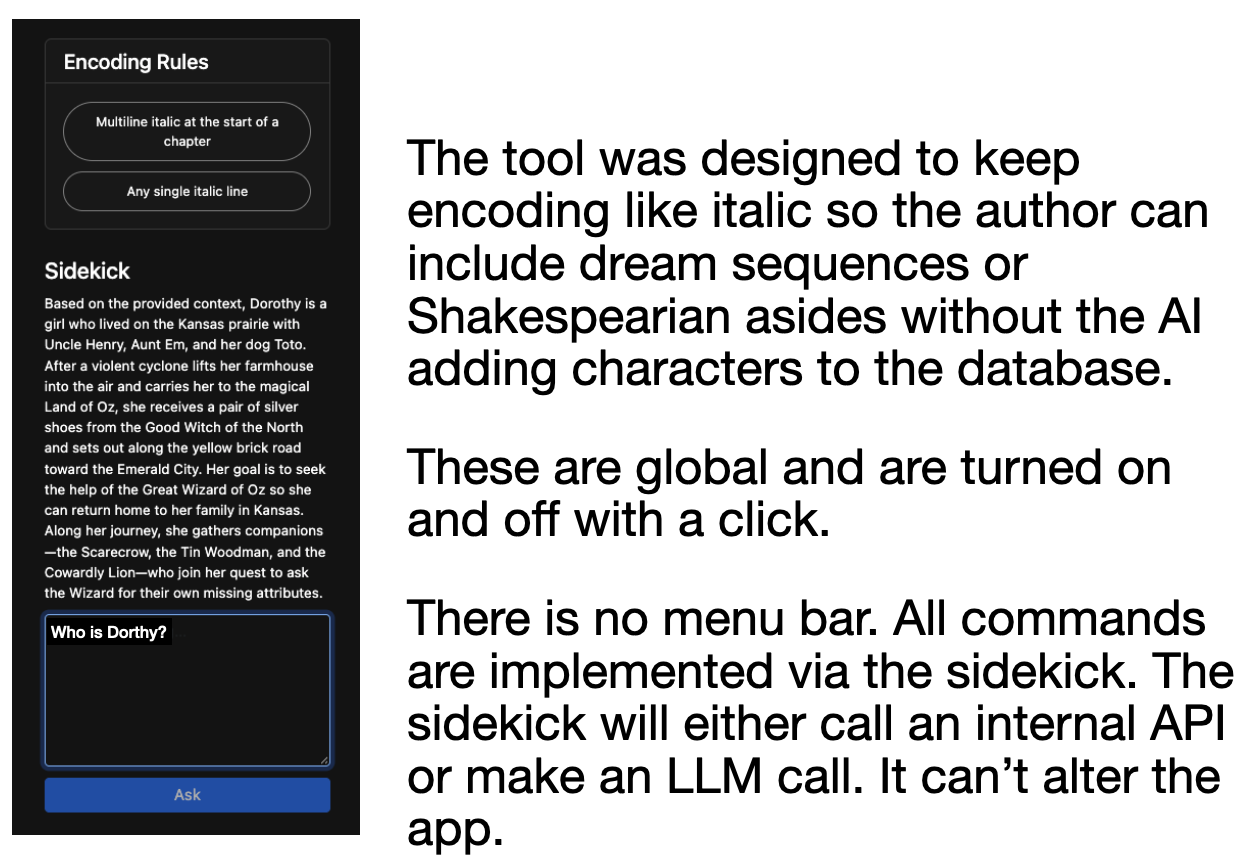
- The tool has two predefined encodings. Multiline italic text at the beginning of a chapter represents a dream sequence, while a single line of italic text represents the protagonist's internal monologue. See Known Limitations.
- Use the Sidekick to create new encodings or perform other tasks that you would normally find in a menu bar.
Screenshots
Technical Details
Change the models by updating these properties:
ANALYSIS_MODEL=openrouter/anthropic/claude-sonnet-5
SIDEKICK_MODEL=openrouter/google/gemini-3.7-flash
Topics are found with an ID-based search over a vector store, which makes indexing faster.
Known Limitations
- The built-in encoding feature is not working as expected since the last update.